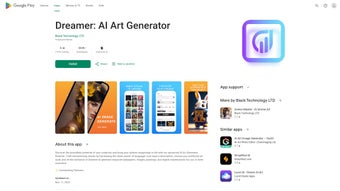

Download Dreamer AI Art Generator – AI‑powered art creation, free & secure
Overview
Dreamer AI Art Generator is a mobile‑first application that puts the power of advanced artificial intelligence into the hands of anyone who wants to create striking visual art without a brush or a graphics tablet. Whether you are a seasoned designer, a casual social‑media enthusiast, or simply someone who enjoys personalising their phone wallpaper, Dreamer lets you type a short description, upload a reference image, or select a mood, and instantly transforms that input into a high‑resolution masterpiece. The app supports a wide spectrum of artistic styles—from photorealistic renderings that look like they were shot with a professional camera to stylised AI manga filters that give your characters a comic‑book flair.
Users can fine‑tune the output with intuitive sliders for colour balance, texture intensity, and composition, ensuring the final piece aligns perfectly with their creative vision. An ever‑growing art library introduces fresh styles every month, keeping the creative possibilities alive and dynamic. Dreamer also places a strong emphasis on privacy; no personal data is sold to third parties, and all creations are stored locally unless the user chooses to share them.
With built‑in sharing tools for Instagram, TikTok, Facebook, and Twitter, you can showcase your artwork to the world with a single tap. In short, Dreamer AI Art Generator is a secure, free, and continuously updated tool that democratizes high‑quality digital art creation on Android and iOS devices.
Key Features & Capabilities
Dreamer’s feature set is built around flexibility and ease of use. The AI engine runs on‑device whenever possible, which speeds up rendering and protects your data, while cloud‑based models are accessed through encrypted channels for the most demanding styles. Each feature has been crafted to give both beginners and power users the tools they need to produce professional‑grade artwork without a steep learning curve. Below is a comprehensive list of what the app can do, followed by short explanations that illustrate how each capability fits into a typical creative workflow.
- AI‑driven image synthesis: Generates unique artwork from text prompts or uploaded photos using state‑of‑the‑art diffusion models.
- Multiple artistic styles: Choose from photorealism, abstract, cyber‑punk, AI manga, vintage oil, and more than 50 regularly added styles.
- Fine‑tune controls: Adjustable sliders for colour palette, detail level, lighting, and composition give you granular control over the output.
- High‑resolution export: Export creations up to 4K resolution, perfect for wallpapers, prints, or digital portfolios.
- One‑tap social sharing: Direct integration with Instagram, TikTok, Facebook, Twitter, and Pinterest for effortless posting.
- Privacy‑first architecture: No user data is transmitted to external servers for advertising; all processing occurs on‑device or via secure encrypted channels.
- Continuous style updates: New artistic filters are added monthly, keeping the library fresh and inspiring.
- Community gallery: Browse creations from other users, get inspiration, and remix ideas with a simple “Explore Similar” button.
- Cross‑platform availability: Fully compatible with Android 7.0+ and iOS 13+, ensuring a smooth experience on most smartphones and tablets.
- Free to download: Core features are free, with optional in‑app purchases for premium style packs and priority rendering.
Installation, Usage & Compatibility
Step‑by‑step Installation
Installing Dreamer AI Art Generator is straightforward. Open the Google Play Store on Android or the App Store on iOS, search for “Dreamer AI Art Generator,” and tap the Install button. The download size is roughly 150 MB, and the app requires about 300 MB of free storage for temporary rendering files. Once installed, launch the app and grant permission to access your photos and media—this is necessary for uploading reference images and saving finished artworks to your gallery. The first launch will present a brief onboarding tutorial that walks you through the main interface, explaining how to input prompts, select styles, and use the fine‑tuning sliders.
How to Create Your First Piece
After onboarding, you’ll see a clean home screen with three primary options: Text Prompt, Upload Image, and Explore Styles. Choose Text Prompt to type a description such as “sunset over a futuristic cityscape with neon reflections.” Select a style from the dropdown—perhaps “Cyber‑punk” for a vivid, high‑contrast look. Press Generate, and the AI begins processing; you’ll see a progress bar that typically completes in 10‑20 seconds depending on device performance.
Once the artwork appears, use the slider bar at the bottom to adjust texture sharpness or colour saturation. When satisfied, tap Save to store the image locally or Share to post directly to your favourite social platform. The Explore Similar button lets you view community‑generated variations of the same prompt, offering endless inspiration.
Compatibility Details
Dreamer AI Art Generator runs on the following operating systems:
- Android 7.0 (Nougat) and later, optimized for ARM‑based processors.
- iOS 13, iPadOS 13 and later, supporting both iPhone and iPad devices.
The app leverages the device’s GPU where available, delivering faster rendering on newer smartphones such as the Pixel 8, Samsung Galaxy S24, iPhone 15, and iPad Pro models. Older devices may experience longer processing times but will still produce high‑quality results thanks to the app’s adaptive rendering engine.
Pros & Cons
Like any sophisticated software, Dreamer AI Art Generator shines in several areas while still leaving room for improvement. Below is a balanced look at the strengths that make it a go‑to tool for mobile creators, followed by the limitations you might encounter depending on your hardware or workflow preferences.
Pros
- Free core version with powerful AI capabilities.
- Wide variety of artistic styles, updated regularly.
- Intuitive UI and fine‑tuning controls for precise results.
- High‑resolution exports suitable for prints and wallpapers.
- Strong privacy focus; no data sold to advertisers.
- Seamless social‑media sharing from within the app.
Cons
- Rendering can be slower on older or low‑end devices.
- Premium style packs require additional in‑app purchases.
- Limited offline functionality; some styles need an internet connection for the latest model updates.
- Occasional mismatches between text prompts and generated output, typical of AI models.
Frequently Asked Questions
Is Dreamer AI Art Generator really free?
Yes, the base application and most core features are completely free. Optional premium style packs and priority rendering are available as in‑app purchases, but they are not required to create beautiful artwork.
Can I use the generated images for commercial purposes?
Dreamer grants a royalty‑free commercial license for any artwork you create within the app, provided you comply with the app’s terms of service. Always double‑check the licensing details for premium style packs.
What privacy measures does Dreamer implement?
All personal data stays on your device unless you choose to share an image. The app uses end‑to‑end encryption for any data transmitted to the cloud for style updates, and it does not sell or monetize user information.
How often are new artistic styles added?
The development team releases fresh style packs roughly every month, ensuring the library stays current with emerging visual trends and user demand.
Does Dreamer work offline?
Basic generation using previously downloaded models works offline, but accessing the latest style updates or cloud‑based enhancements requires an internet connection.
Conclusion – Bring Your Imagination to Life
Dreamer AI Art Generator stands out as a versatile, secure, and user‑friendly tool for anyone looking to produce high‑quality digital art without mastering complex software. Its blend of free core features, a growing library of styles, and robust privacy safeguards make it a compelling choice for creators on the go. Whether you want to design a personalized phone wallpaper, generate eye‑catching social‑media visuals, or explore AI‑driven illustration for a professional portfolio, Dreamer provides a seamless pathway from idea to finished masterpiece. Download Dreamer today, experiment with the endless style options, and let artificial intelligence amplify your creative voice.
Download Dreamer AI Art Generator now and start creating instantly!
Overall Rating: 4.5 / 5
Dreamer impresses with its intuitive UI, diverse style collection, and solid privacy stance. While rendering speed on older phones could improve, the free pricing model and frequent updates outweigh the minor drawbacks.



.png)



